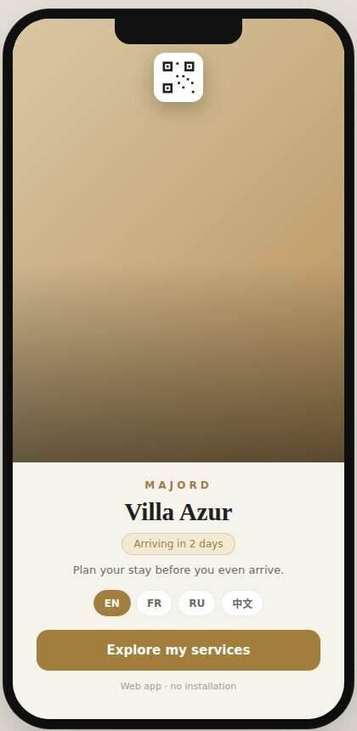
Open these to see exactly what the app looks like, guest side and agency side.

The standard version, unbranded, to show a prospective agency the product's structure before customization.
Open the demo →
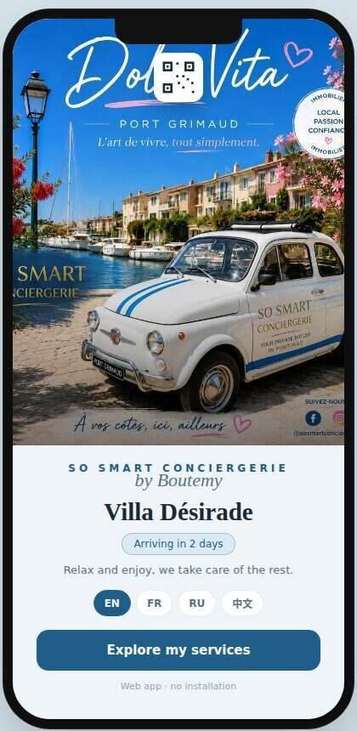
A real example of full customization: brand, colors, services and photos adapted to a Saint-Tropez agency.
Open the demo →Both demos above open on the guest side by default, with a "Back-office" toggle at the top to switch to the agency view. To jump straight into the back-office instead, use these direct links.
Same product as the generic demo above, opened directly on the agency side: agency name, colors, welcome message, and the full service catalog with prices, commissions and photos.
Open the back-office →The real So Smart Conciergerie example, opened directly on the agency side, with its service catalog already filled in.
Open the back-office →Open access, for now: this back-office demo has no username or password, so any prospective agency can try it freely. A dedicated login per agency will be added later.
The back-office above is for setting up your app: branding, services, prices, photos. The Pro dashboard is a separate tool, built for a desktop screen, for running your business day to day: payouts, revenue, statistics, sales history and performance analysis, with your own period and destination selected.
Example data, for illustration only: how much you earned this year and over the last 12 months, a custom period selector, revenue broken down by destination or city, a full sales history, and CSV export.
Open the Pro dashboard →Switch between guest, agency, concierge and provider views to see the full request cycle: browsing services, booking, payment and commission, notifications, provider management.
See how the same structure looks once an agency has applied its brand: colors, villa photos, a real service catalog and prices for Villa Désirade.
Tell us about your agency and we will help you set up your branded Majord app.